 gunnchOS
Devices
DS-XL Coder
Physical validation: pending3D concept view
Interactive digital concept model — placeholder geometry — not a physical prototype or final industrial design.
Digital concept model. Source: gunnchos-hardware-industrial-design @ af5af66a28e3. Physical validation: pending.
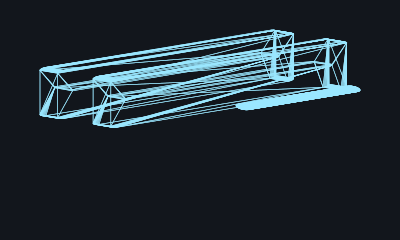
Drag or touch the model to rotate after it loads. Reset view is a keyboard button. Reduced motion keeps the model still until you move it.
Why does it exist?
Coding tutorials often hide the thing you are changing behind the instructions. Two surfaces keep the work and the reference apart.
What can I do with it?
- Read a lab on one surface
- Edit on the other
- Stay in a lesson without a second monitor
What's inside?
- Dual-surface layout in the design story
- A hinge as the organizing idea
- A keyboard-first posture
What does that component do for me?
The second surface is for instructions, sensors, or a preview. It is not a claim about a specific panel part number.
How does it connect to the ecosystem?
WAIKE labs and the workbench are the software reasons for the shape.
Technical details
- No hinge-cycle test
- No production keyboard matrix
- Digital design only
Research / design evidence
gunnchOS3k/gunnchos-hardware-industrial-design @ af5af66a28e3. Placeholder STL concept mesh. Not a measured enclosure.
Validation class: digital-design. Certification and EVT are not claimed.