 gunnchOS
Thursday Open Technology Lab · Week 5
How Does the Internet Get From Here to There?
Ask · Learn · Build
Follow a website request through local connections, DNS, packets, routers, and services. Distinguish Wi-Fi from internet access, then deliver three paper packets and test an alternate route when a router fails.
Session date: . A free, self-guided lesson at every level. Paper and pencil are enough; a phone is optional. No computer, account, registration, payment, or prior experience is required.
This week's replay
The permanent archive is on YouTube. Twitch remains the original live recording.
Captions and a transcript belong with the permanent archive. After you load the Twitch replay, use the player's own caption controls. This page does not block the lesson if Twitch is unavailable.
The original 31-slide lecture
The complete lecture follows a website request, explains DNS, packets, routing, HTTP and HTTPS, and includes a paper lab, worked solutions, optional deeper paths, and learning checks. These are the original, unmodified PDF and editable PowerPoint in their original order.
PDF: 1,123,618 bytes · PowerPoint: 140,695 bytes. The eight-image recap is a separate resource. Original artwork retains its supplied series wording.
Instagram carousel · eight-slide recap
Browse the original recap images at your own pace. The full 31-page lecture is a separate resource.
Swipe left or right on the image. With the carousel focused, use Left and Right arrows, Home, or End. Previous, next, and numbered buttons also work.
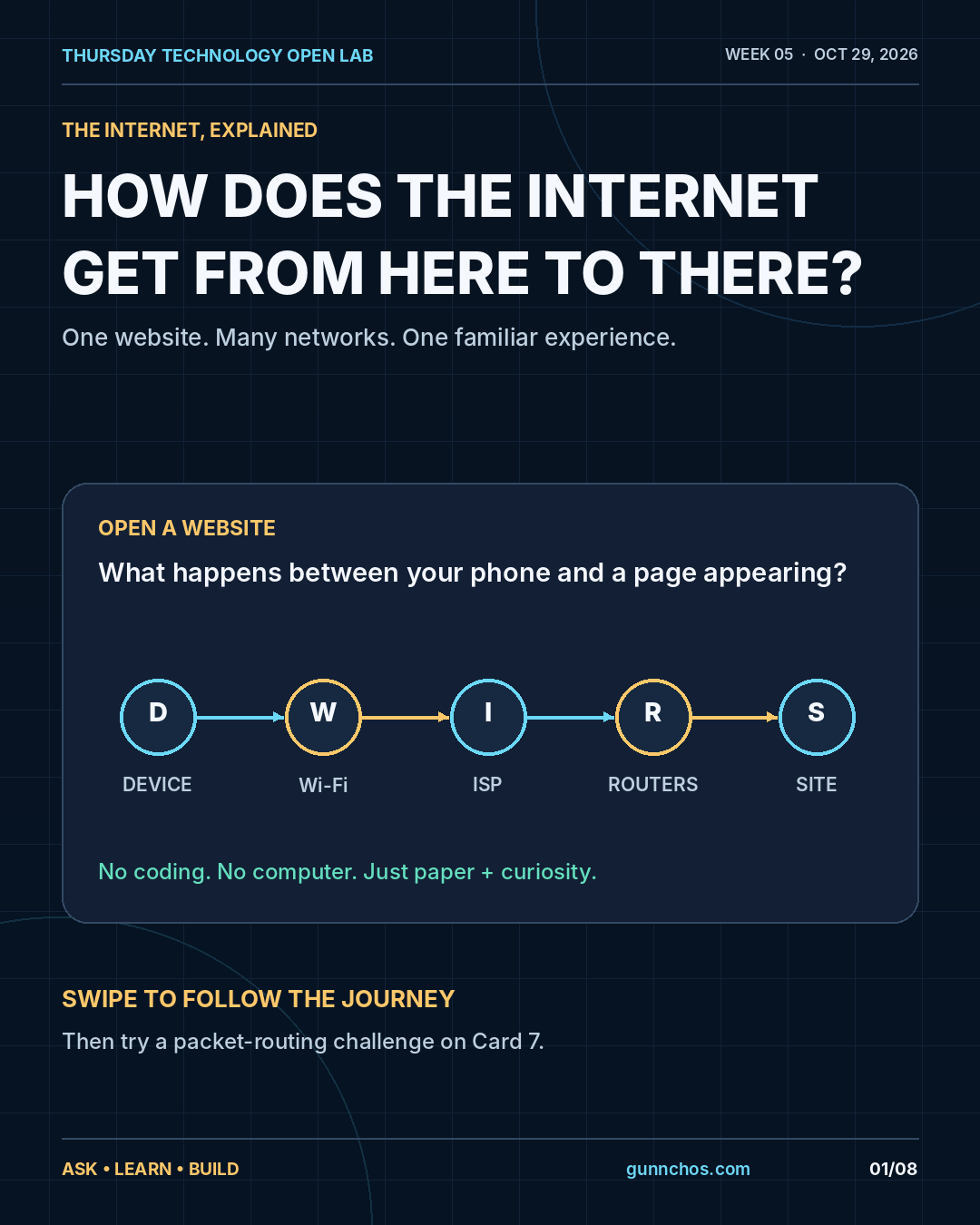
One website, many networks
Imagine entering gunnchos.com in a browser. Your device, a local connection, address lookup, networks that forward data, a responding service, and software that renders the result all cooperate. Week 1 mapped a system, Week 2 followed a tap, Week 3 investigated performance, and Week 4 explored hardware and software. Week 5 follows the data outside the device and back.
Wi-Fi, the internet, and the web
- Wi-Fi
- A local wireless connection between a device and an access point. Full Wi-Fi bars do not guarantee working internet access.
- Internet
- A network of networks exchanging data using common protocols. Your provider connects to independently operated networks, peers, content providers, and CDNs.
- Web
- One application family using the internet. Browsers request pages and resources using HTTP/HTTPS. Email, games, and calls also use the internet; not every internet service is a webpage.
The route at a glance
Your device → Wi-Fi or cellular access → local gateway → ISP → other networks → service. A home box may combine Wi-Fi, routing, switching, and modem functions. Provider access can use cable, fiber, cellular, fixed wireless, or another connection. The response needs a route back, which may differ from the outward path.
Names and addresses: DNS
Humans remember a domain name such as gunnchos.com. DNS helps resolve that name to records such as IP addresses. A cached answer may avoid further lookups; otherwise a resolver asks DNS infrastructure. Answers may change or include multiple addresses. DNS finds an address; it does not download the webpage.
The lecture’s address 203.0.113.7 is reserved for documentation and is an illustrative example, not the real address of gunnchos.com.
Packets and the next hop
Data travels in manageable packets carrying addressing and control information along with content. A router reads destination information and uses its forwarding table to choose the next hop or outgoing interface. It forwards the packet, or may discard it when forwarding is not possible. It usually decides the next step rather than the entire end-to-end route.
Packets can be delayed, lost, or arrive out of order. Recovery and reassembly depend on transport and application behavior. An alternate path helps only if it is available and selected; route changes are not guaranteed or immediate.
HTTP, HTTPS, and the browser
A browser acts as a client requesting a resource by URL and method, often GET. A server, CDN, or service returns a status and content or an error. The browser processes HTML, styles, scripts, images, and other resources. A page often needs several requests and may use nearby caches. HTTP/1.1 and HTTP/2 commonly use TCP; HTTP/3 uses QUIC.
HTTPS usually encrypts communication between the client and the authenticated endpoint, protects integrity in transit, and uses certificate checks to help authenticate the server connection. It does not guarantee that a site is trustworthy, prevent every scam, or hide all connection metadata.
A website in seven moves
- Type a name
- Find an address with DNS
- Connect
- Send a request
- Route packets
- Get a response
- Display the page
This is a conceptual common case. Real routes, service locations, caches, protocols, and timing vary; it is not a measured trace of this website.
When it fails, ask where in the journey
Symptoms are clues, not proofs of a specific cause. Observe → locate → test → learn.
- Wi-Fi connected, pages never load
- Possible causes: Gateway, DNS, provider connection, or remote service.
- One website fails; others work
- Possible causes: Site, DNS entry, account, or browser issue.
- Some pages load, others are slow
- Possible causes: Large assets, congestion, caching, or device limits.
- A video call freezes; email works
- Possible causes: Real-time sensitivity, jitter, loss, or app behavior.
Ask who is requesting, which address or service is contacted, which networks carry the data, what request and response travel, and which boundary may be failing or slow.
Deliver three paper packets
Use paper and pencil for a five-minute recap challenge, or take ten minutes for the full lab. No device or network access is needed. These routes are fictional teaching examples.
- Draw D (Device), H (Home router), A, B, C, E (Routers), and S (Service). Connect only D-H, H-A, A-B, B-S, A-C, C-E, and E-S.
- Make three paper messages, P1, P2, and P3, each with source D and destination S.
- Move P1 along D → H → A → B → S. Write the visited nodes and count the links.
- Cross out B and its connected links. Move P2 and P3 along another available D-to-S route, without jumping between unconnected nodes.
- Write the new route, compare link counts, and explain what must change at A. Discuss whether a real network always recovers instantly.
Reveal the worked routes and link counts
Round 1: D → H → A → B → S crosses four links. Round 2: D → H → A → C → E → S crosses five links and avoids B. A backup path must be available and selected. Real recovery depends on routing state, policy, and time; some traffic may fail.
Success check: Can someone follow your labeled route without jumping across a missing link? Explain why the second route avoids B, how its link count differs, and what the exercise cannot prove about a real network.
Optional phone observation: Look at whether you are using Wi-Fi or cellular access. Try a harmless public webpage and record an observation such as “Connected to Wi-Fi; public site loads slowly.” Keep addresses, passwords, Wi-Fi details, and account information private. Do not change school or work settings or run network scans without authorization.
Choose your lane
Each lane is a depth you can choose. None of them is worth more than the others. You can participate without a computer. A paper drawing is valid. A phone photo can be used later, when submissions open.
Explorer
Explain how a website reaches a phone.
Week 5
- Distinguish Wi-Fi, the internet, and the web in your own words.
- Draw the device, local network, provider, other networks, and destination service.
- Explain the jobs of DNS and a router.
Builder
Test a route and design more reliable access.
Week 5
- Deliver the three paper packets and compare the primary and alternate paths.
- For a community library, draw device → Wi-Fi → gateway → ISP → service and mark three possible failure points.
- Propose one low-cost improvement and one way to distinguish coverage, capacity, DNS, and remote-site problems.
Engineer / Researcher
Question routing, protocols, and evidence.
Week 5
- Investigate DNS caching and stale answers, forwarding tables, routing policy, and failure recovery.
- Compare TCP and QUIC; explain what ping or traceroute can reveal and cannot prove.
- State a hypothesis, an observation, a test, and its limitations. Describe what HTTPS protects and what threats remain.
This is an educational depth lane, not enrollment in human-subjects research.
Check your understanding
- Is Wi-Fi access exactly the same as internet access?
- Does DNS download a webpage, or help find an address?
- What is a router’s immediate forwarding decision?
- If a route fails, will every packet instantly find a new route?
Reveal the lecture’s explanations
- No. Wi-Fi connects local devices; the gateway or provider can still be unavailable.
- DNS helps find an address. HTTP fetches resources.
- A router chooses a next hop using destination information and a forwarding table.
- No guarantee. An alternate path, routing state, and sufficient time are needed; some traffic may fail.
Keep your route map yourself. This page collects no responses or files. Uploads remain closed; participation does not enroll you in research.
All 31 slides as text
Read the original PowerPoint text in slide order. The labeled network and its exact connections are also described in the paper activity above. The original PDF preserves the visual layout.
Slide 1: HOW DOES THE INTERNET GET FROM HERE TO THERE?
WEEK 05 / START HERE
HOW DOES THE INTERNET GET FROM HERE TO THERE?
From one browser tap to a world of devices, networks, routers, and servers.
THURSDAY TECHNOLOGY OPEN LAB | ASK • LEARN • BUILD | gunnchos.com
W05 / 01
EXPLORER
BUILDER
ENGINEER / RESEARCHER
YOUR DEVICE → LOCAL NETWORK → ISP → OTHER NETWORKS → WEBSITE / SERVICE
WHAT YOU NEED
Paper and a pencil. A phone is optional. No login, downloads, or new equipment.
WHAT YOU WILL MAKE
A labeled route map and a simple packet-delivery experiment you can explain to a friend.
One familiar action; many connected systems. Learn it without needing a computer.
Slide 2: How to use this public lesson
WEEK 05 / START HERE
How to use this public lesson
Complete every step independently, or pause and discuss as a group.
THURSDAY TECHNOLOGY OPEN LAB | ASK • LEARN • BUILD | gunnchos.com
W05 / 02
EXPLORER
Explain what the internet does and draw how one website reaches a phone.
BUILDER
Simulate packet routes, spot a failure, and design a more resilient path.
ENGINEER / RESEARCHER
Question addressing, forwarding tables, caching, route changes, and measurement.
STOP / DRAW / TEST whenever a challenge appears. A successful lesson produces an answer, an artifact, a next step, or a better question.
No age gate, technical prerequisites, or paid equipment. Continue at your own pace.
Slide 3: Five weeks, one connected story
WEEK 05 / BIG PICTURE
Five weeks, one connected story
Each Thursday increases the resolution of a familiar technology experience.
THURSDAY TECHNOLOGY OPEN LAB | ASK • LEARN • BUILD | gunnchos.com
W05 / 03
1
WEEK 1
Technology is a system, not a screen.
2
WEEK 2
A tap travels from input to feedback.
3
WEEK 3
Performance shapes human experience.
4
WEEK 4
Hardware and software cooperate inside a device.
5
WEEK 5
Networks connect devices to services beyond them.
Today: follow the data outside the device and back again.
Slide 4: A normal moment: open a website
WEEK 05 / CORE LESSON
A normal moment: open a website
Imagine entering gunnchos.com in a browser. You expect a page, not a lesson in networking.
THURSDAY TECHNOLOGY OPEN LAB | ASK • LEARN • BUILD | gunnchos.com
W05 / 04
WHAT YOU NOTICE
1. You type a readable name.
2. The browser begins loading.
3. Text and images appear.
4. You can interact with the page.
WHAT MUST EXIST
Your device + a local connection + a way to find the site + networks that can forward data + a service that responds + software that renders the result.
Guiding question: how do little pieces of information find the right destination?
Slide 5: The internet is not the same as the web
WEEK 05 / CORE LESSON
The internet is not the same as the web
The internet carries many kinds of communication. The web is one service built on it.
THURSDAY TECHNOLOGY OPEN LAB | ASK • LEARN • BUILD | gunnchos.com
W05 / 05
INTERNET = INFRASTRUCTURE
A worldwide network of networks: connected devices and systems exchanging data using common protocols.
WEB = ONE APPLICATION FAMILY
Web browsers use web protocols (like HTTP/HTTPS) to request pages and resources. Email, games, and calls also use the internet.
The web uses the internet; not everything on the internet is a web page.
Quick check: is a video call over the internet necessarily “the web”? No.
Slide 6: The route at a glance
WEEK 05 / CORE LESSON
The route at a glance
This is a conceptual map; real routes and service locations vary.
THURSDAY TECHNOLOGY OPEN LAB | ASK • LEARN • BUILD | gunnchos.com
W05 / 06
1
YOUR DEVICE
2
Wi-Fi / CELL
3
LOCAL GATEWAY
4
ISP
5
NETWORKS
6
SERVICE
The information also needs a route back. Requests and responses may traverse different paths.
A local Wi-Fi connection does not by itself guarantee access to the internet.
Slide 7: Client asks. Server or service responds.
WEEK 05 / CORE LESSON
Client asks. Server or service responds.
A browser is a client when requesting web content. A website may depend on many services.
THURSDAY TECHNOLOGY OPEN LAB | ASK • LEARN • BUILD | gunnchos.com
W05 / 07
CLIENT: MAKES A REQUEST
“Please send the resource at this web address.”
Example: browser on a phone.
SERVER / SERVICE: ANSWERS
Receives a request and returns data or an error. Content may come from nearby caches.
REQUEST
RESPONSE
Websites often include several requests for images, styles, scripts, and data.
Slide 8: Before the internet: the local network
WEEK 05 / CORE LESSON
Before the internet: the local network
Wi-Fi connects you to a local access point. Another connection carries traffic farther.
THURSDAY TECHNOLOGY OPEN LAB | ASK • LEARN • BUILD | gunnchos.com
W05 / 08
PHONE / LAPTOP
Runs the browser and joins Wi-Fi or a mobile network.
ACCESS POINT / ROUTER
Connects local devices. A home box may combine Wi-Fi, routing, switching, and modem functions.
PROVIDER CONNECTION
A cable, fiber, cellular, fixed wireless or other access path reaches a network provider.
Try asking: what can still work locally if your internet service is down?
Slide 9: The internet is a network of networks
WEEK 05 / CORE LESSON
The internet is a network of networks
Your provider connects to other networks; no single router holds the entire internet.
THURSDAY TECHNOLOGY OPEN LAB | ASK • LEARN • BUILD | gunnchos.com
W05 / 09
YOUR NETWORK
A home, school, business, or mobile network.
ISP
An internet service provider moves traffic onward.
OTHER NETWORKS
Transit networks, peers, content providers, and CDNs.
DESTINATION SERVICE
The endpoint or cache that returns the resource.
The internet is cooperative routing between independently operated networks.
Slide 10: Names, addresses, and destinations
WEEK 05 / CORE LESSON
Names, addresses, and destinations
Humans remember names. Networks forward packets toward IP destinations.
THURSDAY TECHNOLOGY OPEN LAB | ASK • LEARN • BUILD | gunnchos.com
W05 / 10
DOMAIN NAME
gunnchos.com
A human-friendly name. It can map to different addresses over time or location.
DNS LOOKUP
Domain Name System (DNS) helps find the addresses a service advertises.
IP ADDRESS
A numerical network-layer address used for routing, such as 203.0.113.7*
*203.0.113.7 is an example-only documentation address, NOT the real IP of gunnchos.com.
DNS is an address lookup, not the act of downloading the web page.
Slide 11: How DNS helps find a site
WEEK 05 / CORE LESSON
How DNS helps find a site
Commonly, a cached answer is used; otherwise a resolver looks up the answer.
THURSDAY TECHNOLOGY OPEN LAB | ASK • LEARN • BUILD | gunnchos.com
W05 / 11
A
BROWSER
Needs an address
B
LOCAL / RESOLVER CACHE
Can it reuse a recent answer?
C
DNS RESOLVER
Asks DNS infrastructure if needed
D
ADDRESS RESULT
Returns record(s) or an error
A cached answer may skip additional lookups. DNS answers can change and may list multiple addresses.
Different task: “find the address” vs “contact the service.”
Slide 12: Packets: data travels in manageable pieces
WEEK 05 / CORE LESSON
Packets: data travels in manageable pieces
An application can transfer data as many network packets, not one giant message.
THURSDAY TECHNOLOGY OPEN LAB | ASK • LEARN • BUILD | gunnchos.com
W05 / 12
REQUEST / RESPONSE DATA
PACKET A
address + content
PACKET B
address + content
PACKET C
address + content
PACKET D
address + content
Packets carry addressing and control information, along with some of the data.
Slide 13: Do packets arrive perfectly? Not always.
WEEK 05 / CORE LESSON
Do packets arrive perfectly? Not always.
Networks can delay, drop, or deliver packets out of order; the application uses suitable protocols to cope.
THURSDAY TECHNOLOGY OPEN LAB | ASK • LEARN • BUILD | gunnchos.com
W05 / 13
ADDRESSING
An IP destination tells routers where a packet should be forwarded.
FORWARDING
Each router selects a next hop using its routing/forwarding information.
DELIVERY RECOVERY
Protocols and applications determine how missing or out-of-order data is handled.
Packet paths may differ. Reassembly and reliability depend on transport/application behavior.
Slide 14: What does a router actually do?
WEEK 05 / CORE LESSON
What does a router actually do?
Think “Which neighbor should receive this packet next?” rather than a global GPS map.
THURSDAY TECHNOLOGY OPEN LAB | ASK • LEARN • BUILD | gunnchos.com
W05 / 14
INPUT
Packet arrives with a destination IP address.
DECISION
Forwarding table chooses a next hop or an outgoing interface.
OUTPUT
The router forwards, or may discard it when forwarding is not possible.
Routers usually decide the NEXT STEP, not the entire end-to-end route.
Slide 15: One destination, more than one possible path
WEEK 05 / CORE LESSON
One destination, more than one possible path
A simplified teaching network shows why alternative routes can matter.
THURSDAY TECHNOLOGY OPEN LAB | ASK • LEARN • BUILD | gunnchos.com
W05 / 15
D
H
A
B
S
C
E
PRIMARY PATH: D → H → A → B → S
ALTERNATE: D → H → A → C → E → S
Route changes are possible, not automatic or immediate: policies and available paths matter.
Slide 16: HTTP: asking for a resource
WEEK 05 / CORE LESSON
HTTP: asking for a resource
The browser asks a service for a page or asset and interprets what comes back.
THURSDAY TECHNOLOGY OPEN LAB | ASK • LEARN • BUILD | gunnchos.com
W05 / 16
1. REQUEST
A web client requests a resource by URL and method, often GET.
2. RESPONSE
A server, CDN, or service sends a status and content or error.
3. RENDER
The browser processes HTML, styles, scripts, images, and more.
Web protocols evolve: HTTP/1.1 and HTTP/2 commonly use TCP; HTTP/3 uses QUIC.
Slide 17: HTTPS: protect what travels
WEEK 05 / CORE LESSON
HTTPS: protect what travels
HTTPS usually encrypts communication between the client and the authenticated endpoint.
THURSDAY TECHNOLOGY OPEN LAB | ASK • LEARN • BUILD | gunnchos.com
W05 / 17
WHAT IT HELPS WITH
Encryption and integrity protect content in transit from many on-path observers. Certificate checks help authenticate the server connection.
WHAT IT DOES NOT GUARANTEE
A site can still be malicious, a password can still be stolen by scams, and some connection metadata may remain observable.
Good habit: check the address, avoid sharing passwords, and never post private account details.
Slide 18: The whole web journey, in seven moves
WEEK 05 / CORE LESSON
The whole web journey, in seven moves
This is a conceptual common case; some steps may use cache or differ by protocol.
THURSDAY TECHNOLOGY OPEN LAB | ASK • LEARN • BUILD | gunnchos.com
W05 / 18
1
TYPE NAME
2
FIND ADDRESS
3
CONNECT
4
SEND REQUEST
5
ROUTE PACKETS
6
GET RESPONSE
7
DISPLAY
A page may need several requests and components. It might be served from a nearby cache.
Slide 19: When it fails, ask WHERE in the journey
WEEK 05 / CORE LESSON
When it fails, ask WHERE in the journey
Different symptoms are clues, not proofs of a specific cause.
THURSDAY TECHNOLOGY OPEN LAB | ASK • LEARN • BUILD | gunnchos.com
W05 / 19
Wi-Fi connected, pages never load
Could be gateway / DNS / ISP / remote service.
One website fails; others work
Could be site, DNS entry, account, or browser issue.
Some pages load, others are slow
Could be large assets, congestion, caching, or device limits.
A video call freezes; email works
Could be real-time sensitivity, jitter, loss, or app behavior.
Observe → locate → test → learn. Do not jump from symptom to certainty.
Slide 20: Your hands-on task: deliver three packets
WEEK 05 / PAPER LAB
Your hands-on task: deliver three packets
You can complete this entire activity with pencil and paper in 10 minutes.
THURSDAY TECHNOLOGY OPEN LAB | ASK • LEARN • BUILD | gunnchos.com
W05 / 20
WHAT TO DRAW
Copy the network on the next slide. Make three little paper messages: P1, P2, P3. Give them a source D and destination S.
RULES
Move a packet only along drawn links. Use route D–H–A–B–S while B works. Later, pretend B fails. Find another available path.
WRITE DOWN: which routers were visited, number of links, and what you changed.
Slide 21: Copy this network onto paper
WEEK 05 / PAPER LAB
Copy this network onto paper
D = Device • H = Home router • A/B/C/E = Routers • S = Service
THURSDAY TECHNOLOGY OPEN LAB | ASK • LEARN • BUILD | gunnchos.com
W05 / 21
D
H
A
B
S
C
E
Goal: get P1, P2 and P3 from D to S; do not jump between unconnected nodes.
Slide 22: Round 1: everything works
WEEK 05 / PAPER LAB
Round 1: everything works
Use the shorter illustrated route for packet P1.
THURSDAY TECHNOLOGY OPEN LAB | ASK • LEARN • BUILD | gunnchos.com
W05 / 22
DO THIS
1. Start P1 at D.
2. Move to H, then A.
3. Continue through B to S.
4. Write the full route and count the links.
CHECK BEFORE MOVING ON
Did P1 reach S?
Which nodes did it visit?
How many links did it cross?
What does a router need to decide at A?
PAUSE: write your route before looking at the worked answer.
Slide 23: Round 2: imagine router B goes offline
WEEK 05 / PAPER LAB
Round 2: imagine router B goes offline
Route P2 and P3 without visiting B.
THURSDAY TECHNOLOGY OPEN LAB | ASK • LEARN • BUILD | gunnchos.com
W05 / 23
CHALLENGE
Cross out B and its connected links. Find another valid D-to-S route. Draw new arrows and count how many links it uses.
DISCUSS
Does another path exist?
Does every real network switch instantly?
What should users see if rerouting causes a delay?
Engineering idea: a backup path helps only if the network knows to use it.
Slide 24: Worked solution: the path can change
WEEK 05 / PAPER LAB
Worked solution: the path can change
Fictitious paths illustrate a principle; they are not measured internet routes.
THURSDAY TECHNOLOGY OPEN LAB | ASK • LEARN • BUILD | gunnchos.com
W05 / 24
ROUND 1: B AVAILABLE
D → H → A → B → S
Four links. The packet follows the illustrated primary route.
ROUND 2: B FAILED
D → H → A → C → E → S
Five links. This alternate route avoids B in the exercise.
Lesson: alternate paths can improve resilience, but may add delay or complexity.
Slide 25: Observe your network without taking risks
WEEK 05 / OPTIONAL PHONE
Observe your network without taking risks
A phone is optional. Do not publish addresses, passwords, Wi-Fi details, or other private information.
THURSDAY TECHNOLOGY OPEN LAB | ASK • LEARN • BUILD | gunnchos.com
W05 / 25
1. LOOK
Open your phone’s Wi-Fi or cellular settings. Are you using a local Wi-Fi access point or cellular data?
2. NOTICE
While on Wi-Fi, try a harmless public webpage. Does it load? Can you tell from this alone where a failure might be?
3. RECORD
Write observations, not account details. Example: “Connected to Wi-Fi; public site loads slowly.”
Do not change school/work network settings or run network scans without authorization.
Slide 26: Design more reliable access for a community library
WEEK 05 / BUILDER CHALLENGE
Design more reliable access for a community library
The goal is a usable learning experience, not merely a glowing Wi-Fi icon.
THURSDAY TECHNOLOGY OPEN LAB | ASK • LEARN • BUILD | gunnchos.com
W05 / 26
THE PROBLEM
The library has Wi-Fi, but learners report slow pages and occasional outages during busy hours. Devices vary and some learners use phones only.
YOUR DESIGN
Draw device → Wi-Fi → gateway → ISP → service. Mark three possible failure points. Propose one low-cost improvement and one way to test it.
What evidence would help distinguish coverage, capacity, DNS, and remote-site problems?
Slide 27: Increase the resolution: five deeper questions
WEEK 05 / ENGINEER / RESEARCHER
Increase the resolution: five deeper questions
Advanced options support deeper inquiry without being prerequisites for beginners.
THURSDAY TECHNOLOGY OPEN LAB | ASK • LEARN • BUILD | gunnchos.com
W05 / 27
1
DNS CACHE
When can a cached answer help? When might it become stale?
2
ROUTING POLICY
How do networks choose next hops and respond to failures?
3
TRANSPORT
When do TCP and QUIC differ? What reliability do they provide?
4
MEASUREMENT
What can ping or traceroute reveal—and what can’t they prove?
5
SECURITY / PRIVACY
What does HTTPS protect? What metadata or threats remain?
State your assumption, define an observation, test, and report limitations.
Slide 28: Four questions to test your map
WEEK 05 / CHECK YOURSELF
Four questions to test your map
Try your answers BEFORE moving to the next slide.
THURSDAY TECHNOLOGY OPEN LAB | ASK • LEARN • BUILD | gunnchos.com
W05 / 28
1. Is Wi-Fi access exactly the same as internet access?
2. Does DNS download a webpage, or help find an address?
3. What is a router’s immediate forwarding decision?
4. If a route fails, will every packet instantly find a new route?
Pause and answer in your own words. You need no special terminology.
Slide 29: Answers: follow the evidence
WEEK 05 / CHECK YOURSELF
Answers: follow the evidence
An explanation is more important than memorizing a definition.
THURSDAY TECHNOLOGY OPEN LAB | ASK • LEARN • BUILD | gunnchos.com
W05 / 29
1
1. NO
Wi-Fi connects local devices. The gateway or provider can still be unavailable.
2
2. ADDRESS
DNS helps resolve names to DNS records such as IP addresses; HTTP fetches resources.
3
3. NEXT HOP
A router uses destination information and a forwarding table to choose where to send a packet next.
4
4. NO GUARANTEE
An alternate path, routing state, and sufficient time are needed; some traffic may fail.
You now have a route map, a failure scenario, and an evidence-based explanation.
Slide 30: One webpage. Many networks. One human experience.
WEEK 05 / TAKEAWAY
One webpage. Many networks. One human experience.
Use the five questions below whenever a digital experience breaks or surprises you.
THURSDAY TECHNOLOGY OPEN LAB | ASK • LEARN • BUILD | gunnchos.com
W05 / 30
WHO?
Which device or client is asking?
WHERE?
What address or service is being contacted?
HOW?
Which local and provider networks carry the data?
WHAT?
What request and response travel?
WHY NOT?
Which boundary may be failing or slow?
NEXT WEEK / NOV 5: How does AI actually produce an answer?
Slide 31: Read, build, and share the route map
WEEK 05 / CONTINUE LEARNING
Read, build, and share the route map
Free public links. Illustrative diagrams; actual network paths and services differ.
THURSDAY TECHNOLOGY OPEN LAB | ASK • LEARN • BUILD | gunnchos.com
W05 / 31
gunnchOS3k / PROGRAM
WAIKE / LEARNING PATHS
https://github.com/gunnchOS3k/waike-research-ops
THE TECHNOLOGY LANDSCAPE
https://github.com/gunnchOS3k/gunnchos-technology-landscape
MDN / HOW THE INTERNET WORKS
MDN / HOW THE WEB WORKS
CLOUDFLARE / DNS BASICS
https://www.cloudflare.com/learning/dns/what-is-dns/
MDN / HTTP-3 & QUIC
https://developer.mozilla.org/en-US/docs/Glossary/QUIC
Questions are valuable: share what surprised you and what you want to build.
Keep exploring
Week 6 preview · November 5, 2026
The original lecture previews: “How does AI actually produce an answer?” Bring a question, a problem, an idea, or your curiosity.